The todo list
where the work
gets done.
Capture, organize and check things off the way you always have. Hand a task to Tao and it does the legwork, preps what it can, and brings back only the calls that need you.
macOS 15 Sequoia or later · Apple Silicon and Intel
- Local-first
- Your list lives on this Mac. No account needed.
- Your own key
- Sign in to OpenRouter. No tokens resold.
- ~5 ms
- To reopen, measured against a 10,000-task store.
- Native Mac app
- macOS 15 or later. Apple Silicon and Intel.
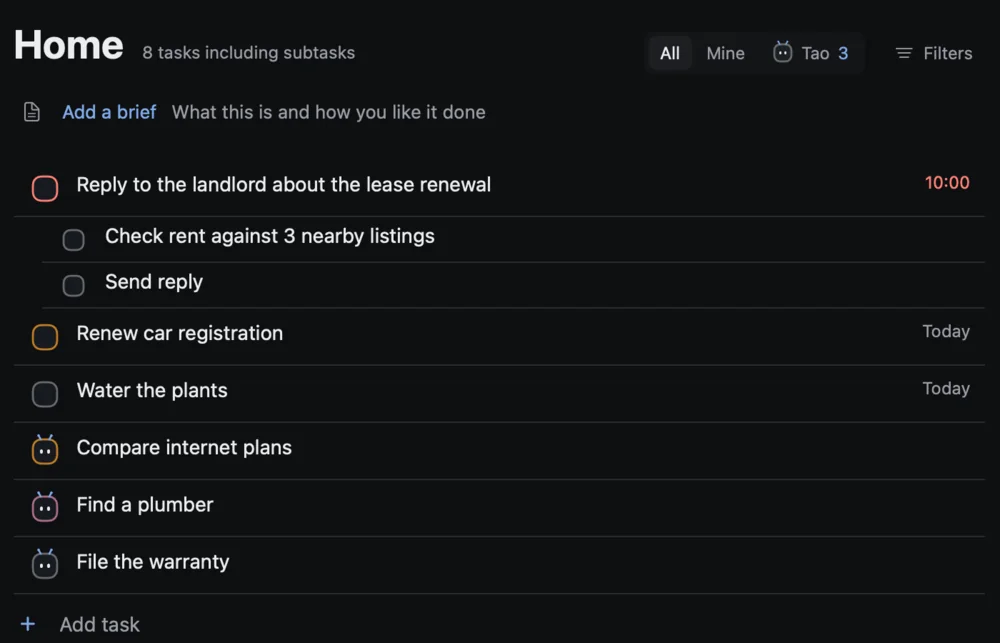
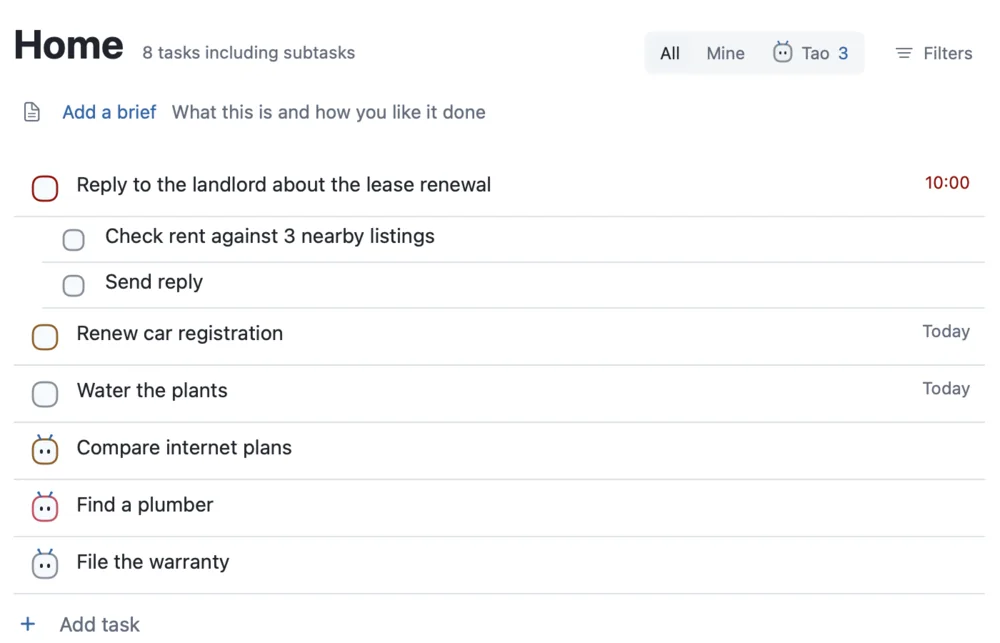
Checking it off still feels like Todoist.
The loop you already trust stays exactly where it is. Capture it fast, put it in the right place and time, do it, check it off.
Capture
Get it out of your head in a second.
Press ⌥Space from any app and type it the way you'd say it. Saving is instant and offline, so capture never waits on a model.
-
Dates in plain
words:
every fri 4pm - #project and p1 right in the line
- ⌘T adds a task from anywhere in Tao


Organize
Everything in its place, the way you like it.
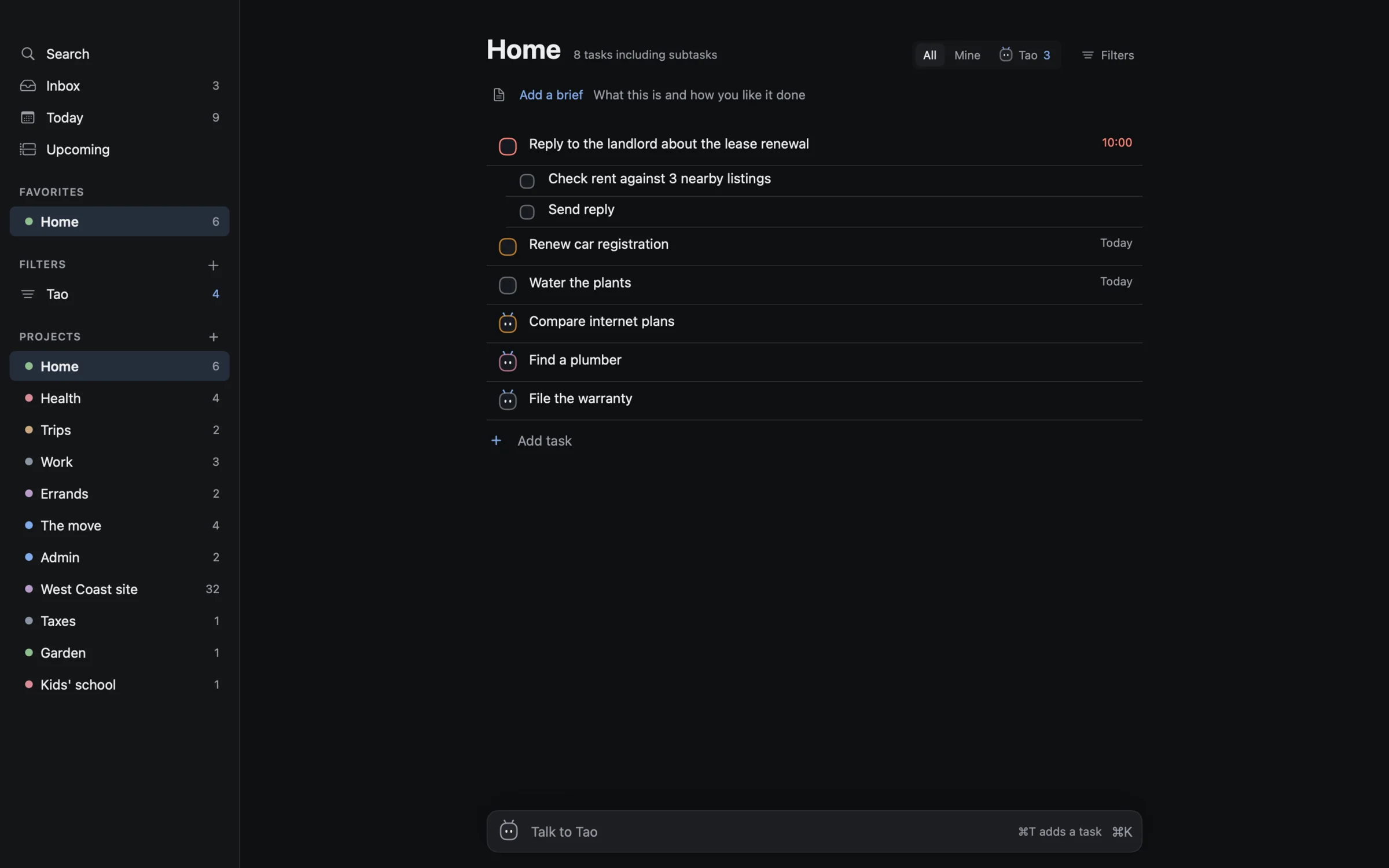
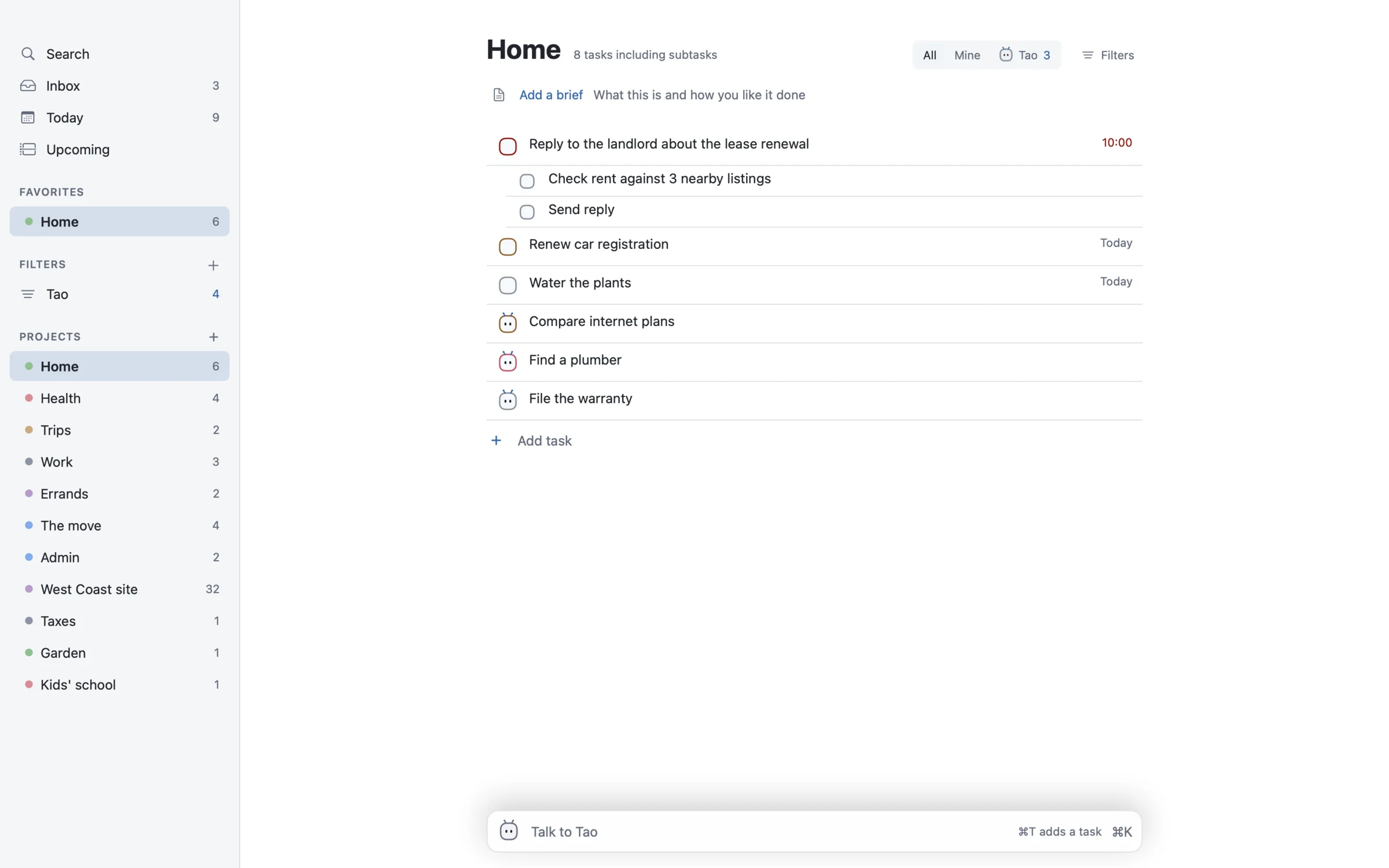
Projects and sections, labels and saved filters, priorities p1 to p4. Coming from Todoist? Import a project CSV and every title stays word for word.
-
Labels like
@callsand saved views - Subtasks and recurring tasks
- A quiet description at the top of each project
Plan
Plan the day against your calendar.
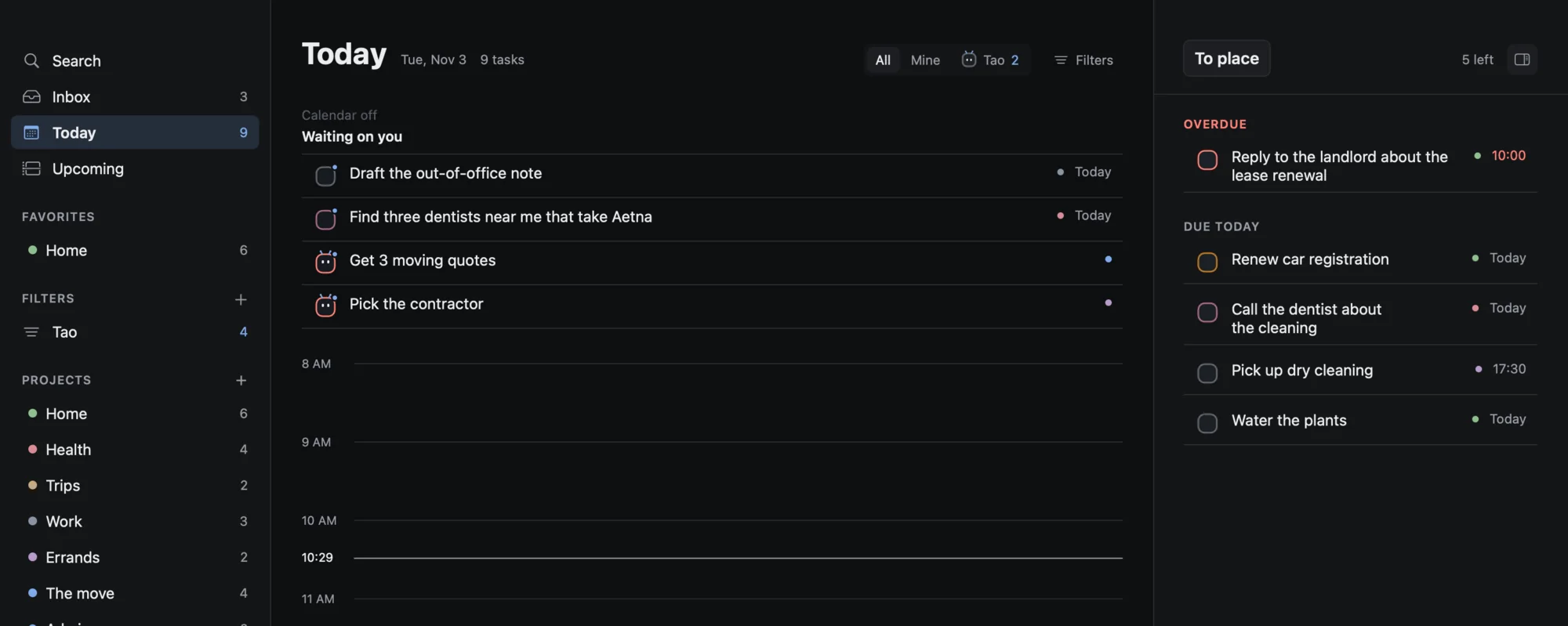
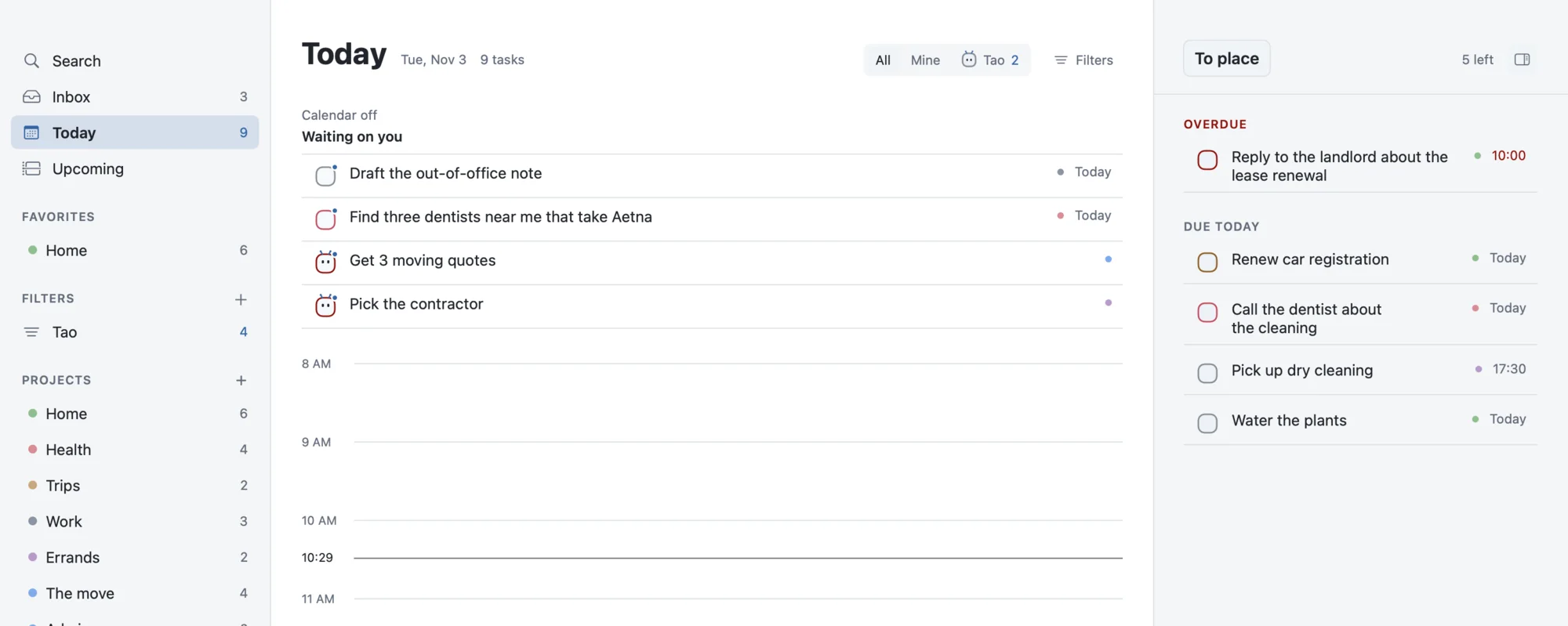
Today lines your tasks up beside the day's events. What's waiting on you comes first, then the timeline, then everything due.
- Today and Upcoming
- Your calendar, read-only
- Waiting on you sits at the top
Tasks that turn into agents.
Tao works the tasks you hand it and reports back on the task itself, in one line, like a sharp assistant. Not a chatbot.
Hand off
Hold a checkbox. Tao does the legwork.
Hold a checkbox for a beat and it becomes a robot: On it. Tao does the task, preps it for you to finish, or hands it back with a reason. Hold the robot to take it back.
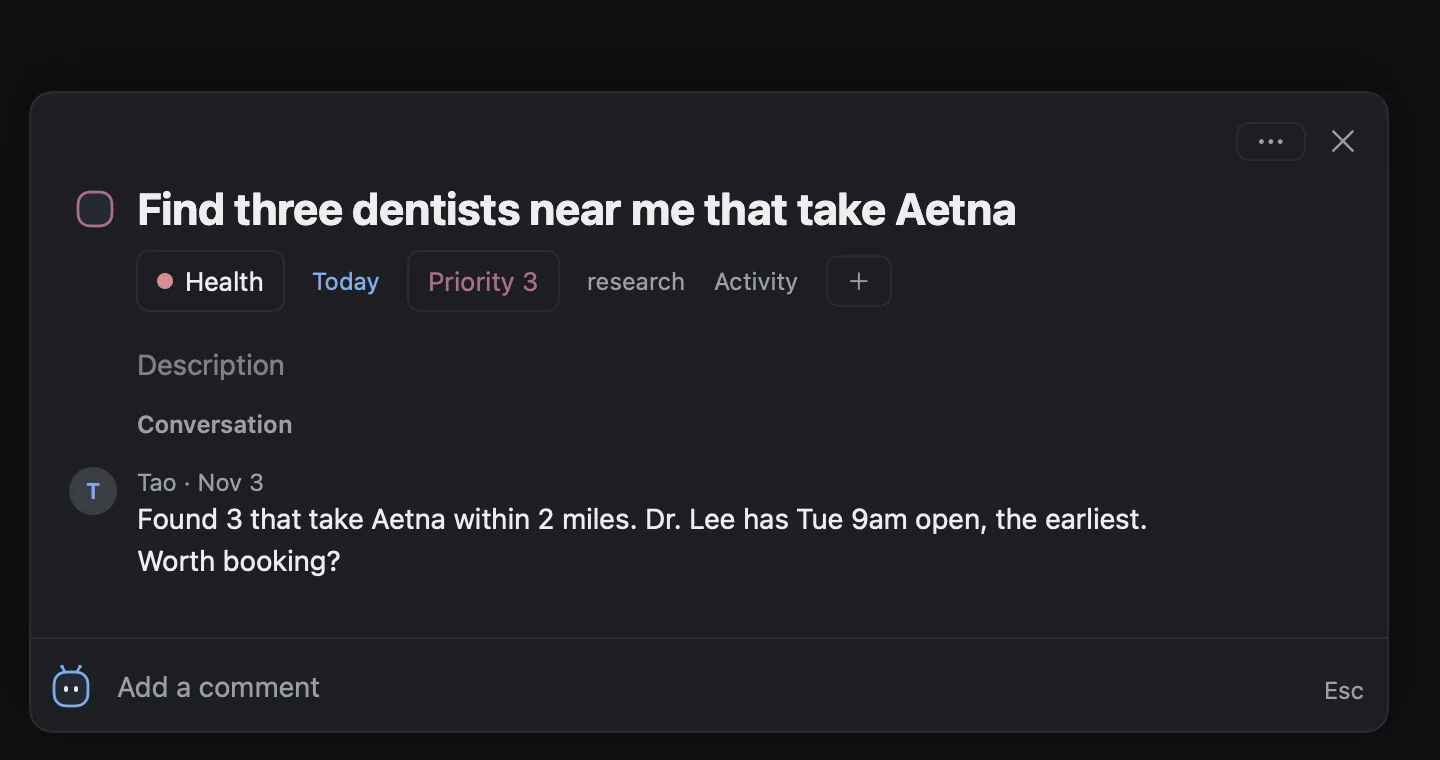
- Results land in the task's own conversation
- Drafts come with Copy. Tao sends nothing on its own.
- Sending, paying and booking always need your tap
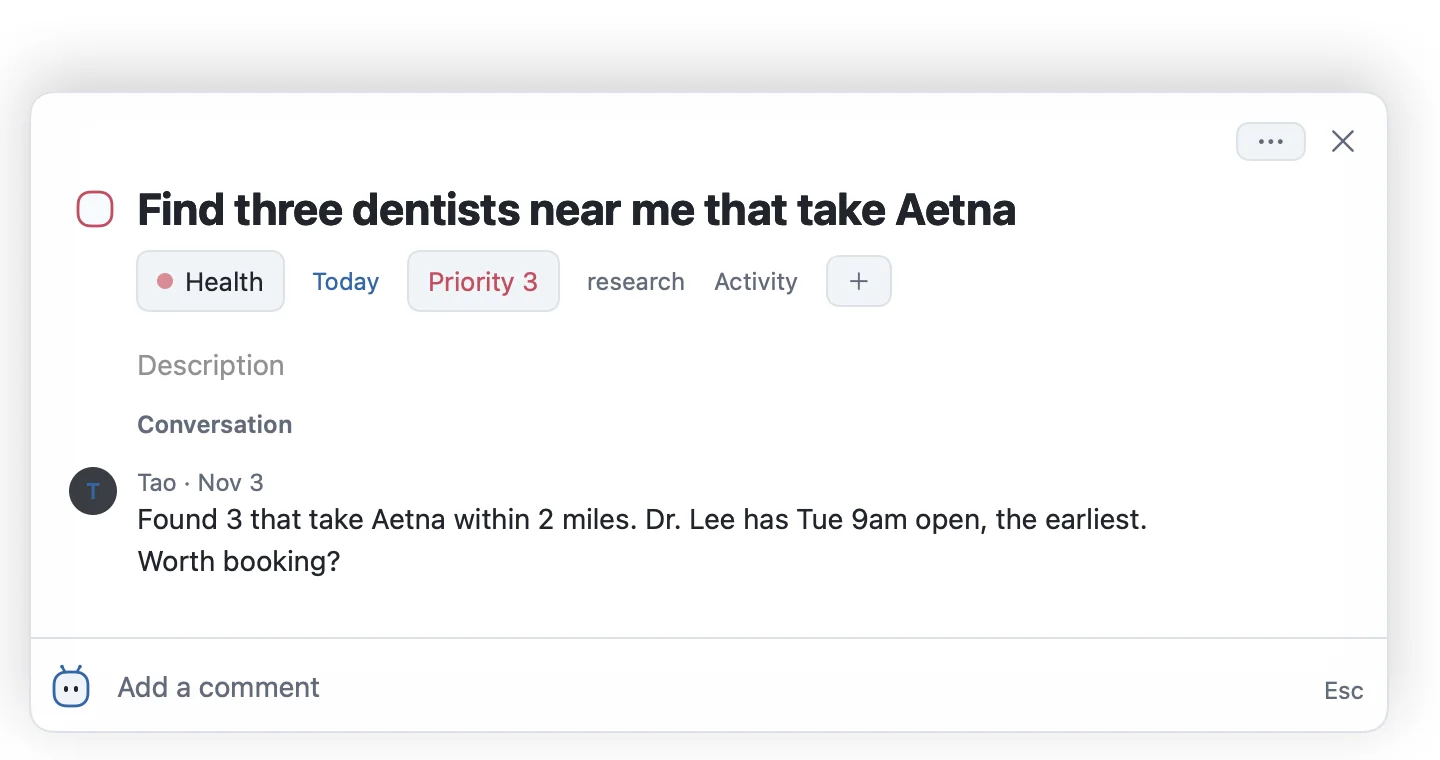
Needs you
Only the calls that need you come back.
The Tao filter groups everything Tao has by Needs you, Working and Waiting. Each question arrives one at a time, with a recommended answer.
- Ask what's stuck with ⌘K, answers link to tasks
- Every move leaves a trace and an undo
- Permissions live in the system, not in a prompt
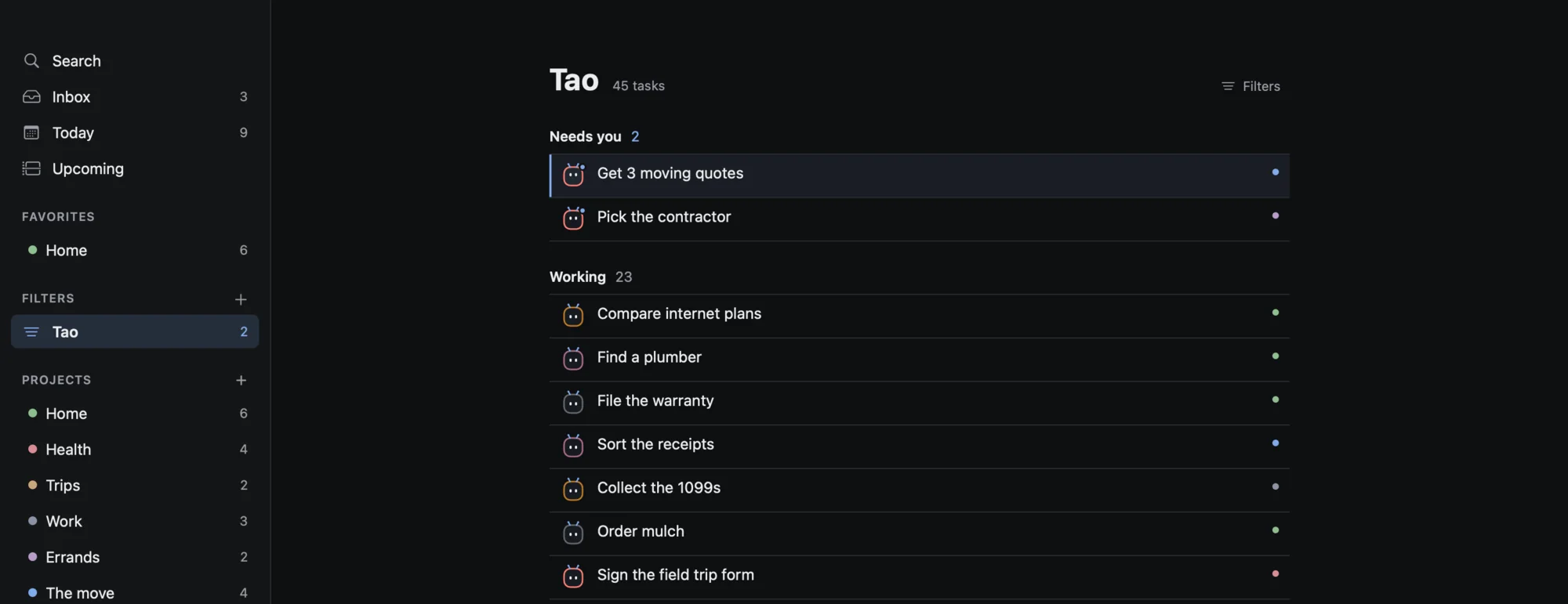
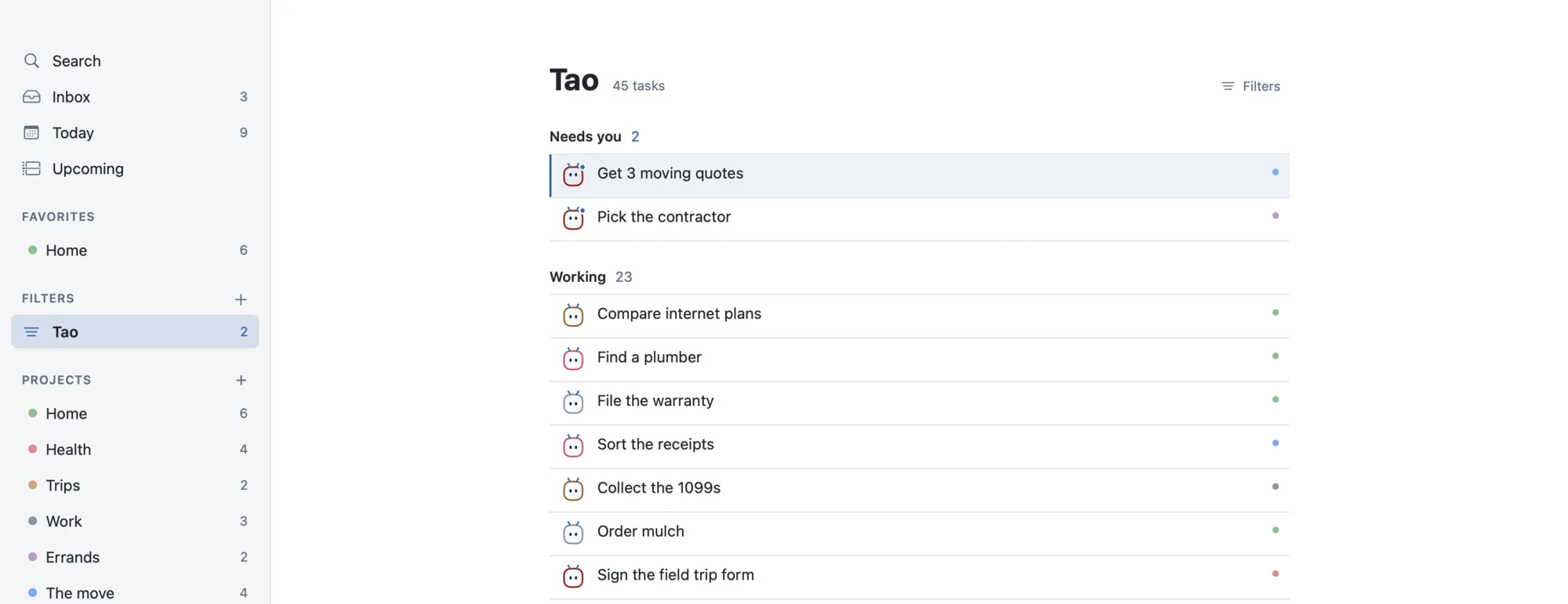
Examples in Tao's voice, not customer quotes. Some of these jobs need connections that are still being built.
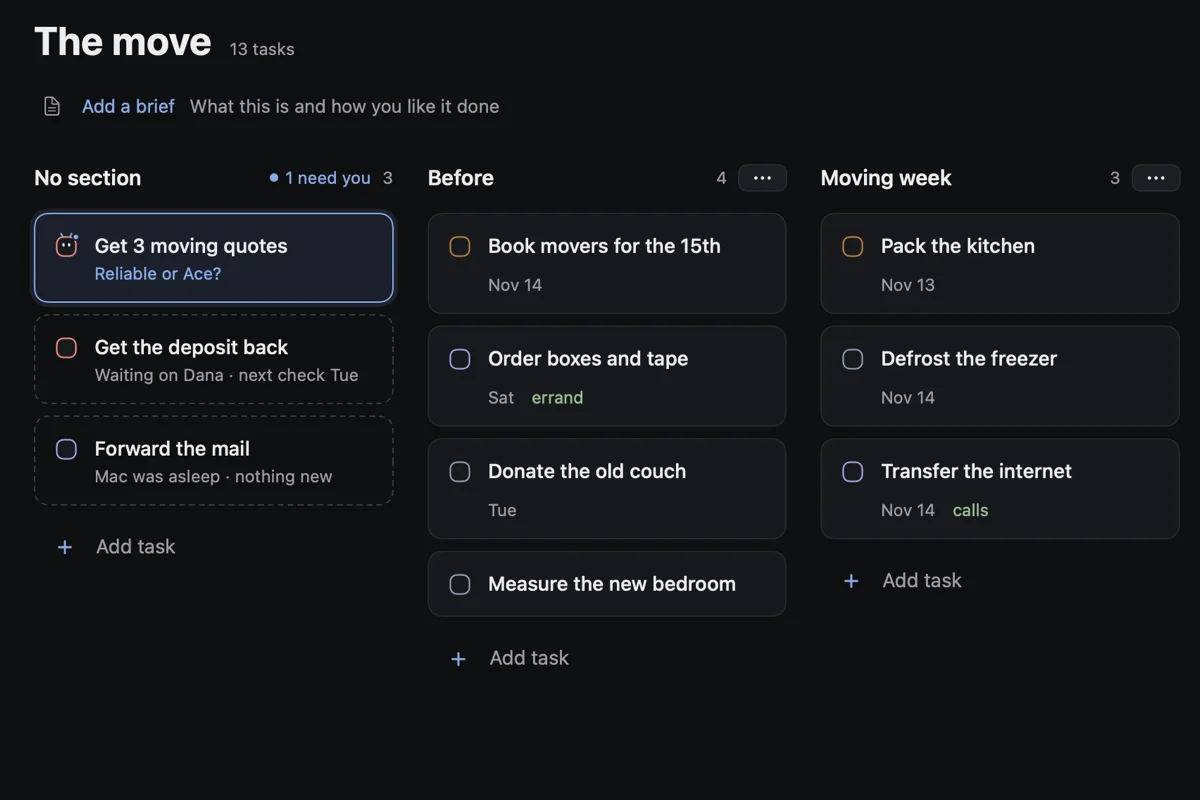
See it the way you think.
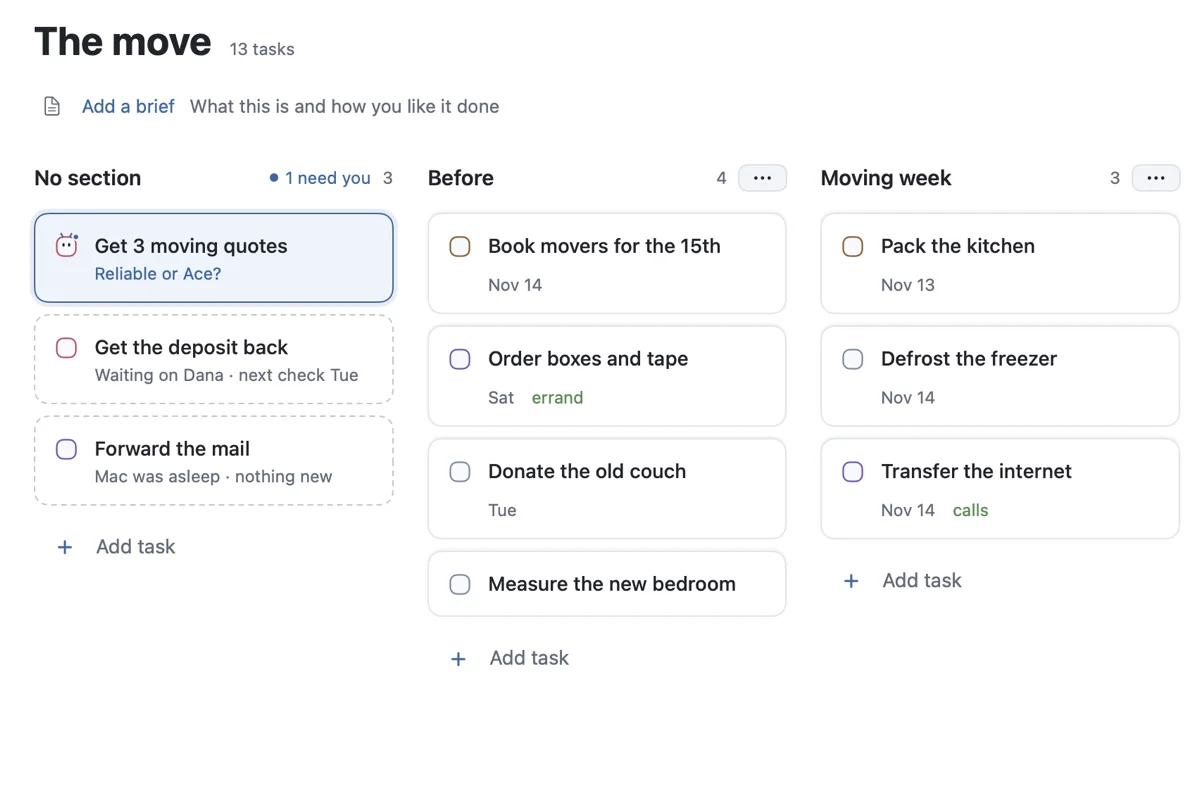
Every project opens as a list, a board or a calendar. Switch any time; your tasks stay put.
Local first. Fast on purpose.
- Your list lives on your Mac. SQLite, no account needed.
- Capture is sacred. Saving is instant and offline. Everything smart happens after.
- Trust is enforced in code. Permissions live in the system, not in a prompt.
- Native, not a web wrapper. SwiftUI, measured against a 10,000-task store.
- ~5 ms
- to reopen
- 10,000
- tasks in every budget
- 0
- accounts required
Download
Tao for Mac
A native app for macOS 15 Sequoia or later, on Apple Silicon and Intel. The list works with no model at all; bring your own OpenRouter key when you want Tao to do the legwork.